
Most messaging projects don’t fail in the code. They stall in a registration queue, or they ship and then the first invoice looks nothing like the spreadsheet. Or a customer replies “please stop texting me,” the system doesn’t recognize it, and the next message lands in a lawyer’s inbox.
If you run a business that sends SMS, or you’re on a SaaS team adding texting to your product, building your own messaging software can look simple: grab an API key, send a POST request, done.
The sending part really is that easy. The rest is where the real planning lives: which carrier path you use, how you register numbers, how you track delivery, how you bill for it, and how you prove consent. This piece walks through those decisions in the order they tend to bite.
Start With the Messages You Actually Send
Before anyone picks a vendor, write down the traffic. Not “we’ll send SMS,” but the specific message types, who triggers them, and how many go out on your busiest hour.
A typical small-business mix looks something like this:
- Transactional alerts: appointment reminders, order updates, delivery windows, one-time passcodes.
- Two-way conversations: customers replying to a reminder, support threads, staff texting leads back.
- Marketing campaigns: promotions, seasonal offers, reactivation blasts to a list.
Each type carries different rules and different technical needs. Passcodes need speed and high delivery rates. Conversations need inbound routing, threading and a human on the other end. Campaigns need list management, consent records and opt-out handling that never misses.
Peak volume matters more than monthly volume. Ten thousand messages spread over a month is easy. Ten thousand messages at 9:00 a.m. on a Monday, because every reminder is scheduled for the same moment, is a throughput problem, and it shapes which number types and providers you can use. Get these numbers on paper first; every later decision depends on them.
Carrier APIs: CPaaS Platform or Direct Connection
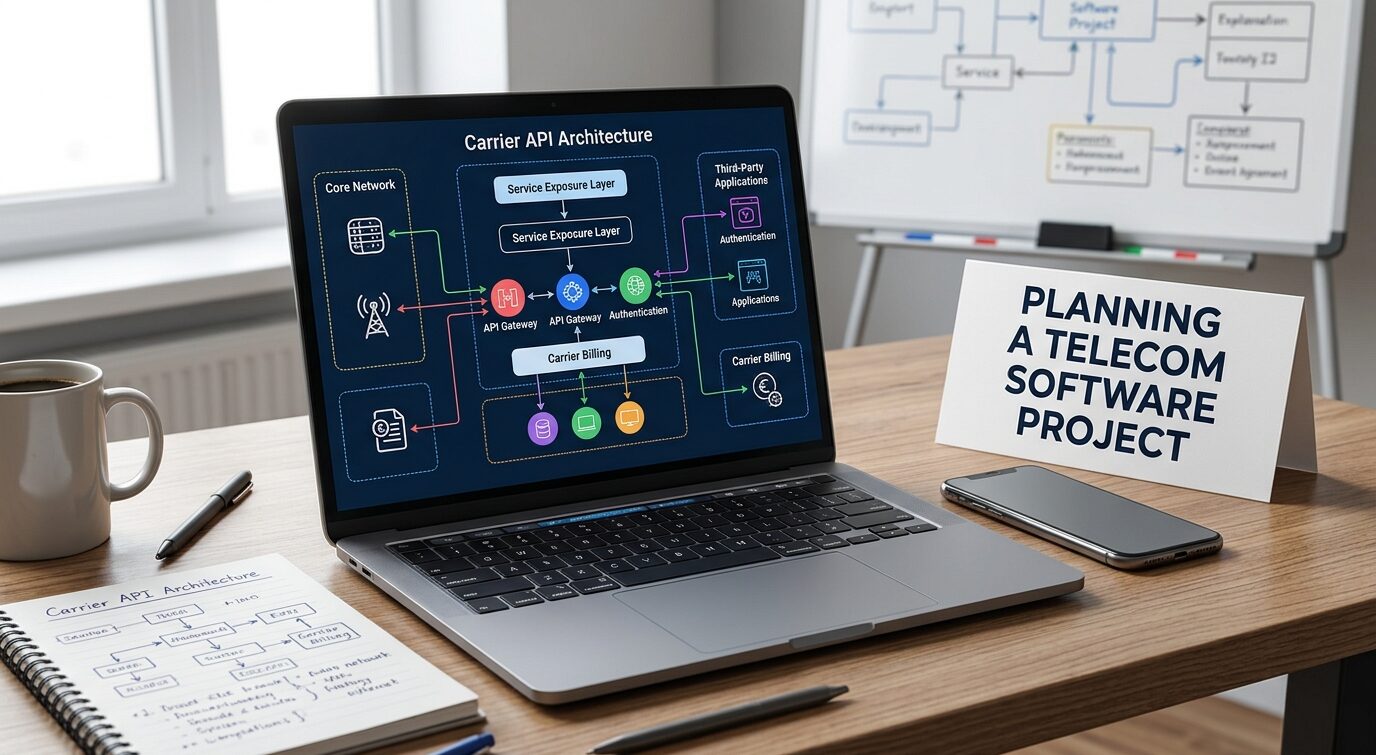
Your software doesn’t talk to phones. It talks to a carrier network, and you have two broad ways in.
CPaaS providers
Communications platforms as a service, such as Twilio, Vonage, Bandwidth and Sinch, give you a REST API, phone numbers, delivery webhooks and a console for registration.
They handle the carrier relationships and much of the routing. For most small and mid-size businesses, this is the sensible default: you can send a test message the same afternoon you sign up.
The trade-off is control and margin. You pay the provider’s per-message price on top of carrier costs, you live with their rate limits and their outage windows, and switching later means rewriting integration code and porting numbers.
Direct carrier and aggregator connections
Larger senders sometimes connect through SMS aggregators or directly with carriers, often over SMPP rather than HTTP. This can lower per-message cost at high volume and gives you more control over routing. It also means owning connection management, failover, number provisioning and much more of the compliance paperwork.
For a team that sends tens of thousands of messages a month, the economics rarely justify that overhead. If you’re unsure where you sit, the telecommunications software development guide from Glorium Technologies walks through these stages, from discovery and architecture to integration and testing, which helps frame what a direct route would add to scope.
A practical middle path many teams take: build against a CPaaS, but put a thin messaging layer between your app and the provider’s SDK.
Your code calls `sendMessage()`; only one module knows it’s Twilio or Bandwidth underneath. That one decision makes a second provider, or a later migration, a few weeks of work instead of a rewrite.
Numbers and Registration: The Weeks Nobody Budgets For
In the US, the number you send from decides how fast you can send, what you pay and how much paperwork comes first. The three common types:
- 10DLC (standard 10-digit local numbers): good for conversational and mid-volume traffic, but every number must be tied to a registered brand and campaign through The Campaign Registry before carriers will accept its messages.
- Toll-free numbers: work well for customer-care and notification traffic, and require a separate toll-free verification process.
- Short codes: five- or six-digit numbers built for high-volume campaigns, with the longest approval process and the highest cost.
This is not optional paperwork. Twilio’s documentation is blunt about it: messages from a US 10DLC number that isn’t associated with an approved campaign get blocked and return error 30034 for an unregistered number.
Toll-free numbers went through the same tightening; Twilio’s changelog records that messages on unverified toll-free numbers were blocked from November 8, 2023, and messages on numbers still pending verification were blocked from January 31, 2024.
What this means for your timeline: registration is its own phase, with its own review cycles and the occasional rejection. Your campaign description, sample messages and opt-in language all get read by a reviewer.
Write them as carefully as the code. And build the app so that, while approval is pending, testing can run on a verified number without blocking the rest of the team.
Delivery Receipts, Webhooks and Throughput
“Sent” and “delivered” are different states, and your software needs to know the difference.
Status callbacks
When you send a message, the provider answers right away with an ID and a queued status. The real outcome arrives later, through a webhook: delivered, failed, undelivered, sometimes with a carrier error code. Plan for:
- A webhook endpoint that responds fast and processes events asynchronously through a queue.
- Idempotent handlers, because providers retry callbacks and you’ll see duplicates.
- Out-of-order events: a “delivered” status can arrive before “sent.”
- Storing the raw error codes, since they’re the only way to diagnose a filtering problem later.
Retries and rate limits
Don’t retry every failure. A message rejected for an invalid number or a carrier block will fail again; retrying it burns money and can hurt your sender reputation. Retry only transient errors, with backoff, and cap the attempts.
Throughput limits come from your number type, your registration tier and your provider. Your sending logic should queue outbound messages and drain them at the allowed rate, instead of firing everything at once and hoping. That Monday-morning reminder spike from the first section is exactly where a proper send queue earns its place.
Billing: Segments, Pass-Through Fees and Reconciliation
SMS billing looks simple until you open the first invoice. Three things drive the gap between the estimate and the bill.
Segments, not messages
Carriers bill per segment. A single GSM-7 message holds up to 160 characters; once it’s longer, each segment carries 153 characters because part of the payload goes to a header that reassembles the parts.
Add one emoji or a curly quote pasted from a word processor, and the whole message switches to UCS-2 encoding, where the limit falls to 70 characters (67 per segment in a multi-part message). A 140-character reminder with a smiley face can cost you three segments instead of one.
Build a segment counter into your compose screen and your templates. It’s a small feature that saves real money.
Pass-through fees
On top of the provider’s price, US carriers charge their own per-message fees, and registration carries its own one-time and recurring charges.
Your provider passes these through, and they vary by carrier and number type. Don’t hard-code any of these numbers into your pricing logic. Pull them from your provider’s current price list and expect them to change.
Metering and reconciliation
If you resell messaging to your own customers (common for SaaS products), you need usage metering per account: segments sent, segments received, by number type and destination.
Then reconcile monthly against the provider’s invoice. Teams that skip this tend to find out, a quarter later, that they’ve been absorbing carrier fees they meant to pass on.
Compliance Is a Feature You Build
Compliance isn’t a policy document you write once. In messaging software, it’s code paths, database fields and audit logs.
The legal backbone in the US is the Telephone Consumer Protection Act. The stakes are concrete: under 47 U.S.C. § 227(b)(3), private plaintiffs can recover $500 per violation, and courts can treble that to $1,500 when the violation is willful or knowing. Across a list of a few thousand numbers, that math gets frightening fast.
The FCC has also tightened how opt-outs work. Under rules that took effect April 11, 2025, consumers can revoke consent by any reasonable means, senders can’t force a single opt-out channel, and requests must be honored as soon as practicable and no later than 10 business days. Words like “stop,” “quit,” “end,” “revoke,” “opt out,” “cancel” and “unsubscribe” count as valid revocations by text.
Translate that into requirements your developers can build:
- Consent records: when, where and how each number opted in, stored with the exact wording the person saw.
- Keyword handling: STOP and its variants processed automatically, HELP answered with your business name and contact details, in line with CTIA’s messaging guidelines that carriers use when reviewing campaigns.
- Free-text opt-outs: flag replies like “please don’t text me anymore” for review, since they may count as revocation even without a keyword.
- Suppression at send time: check the opt-out list on every send, not just when a campaign is built.
- Retention and privacy: decide how long you keep message content and phone numbers, who can see them, and how you delete them on request.
None of this is legal advice, and rules shift. Have counsel review your consent flows before launch, then build the system so that changing a rule means editing configuration, not rewriting code.
Build, Buy or Extend: Team and Timeline
After all of the above, the honest question is whether you should build at all.
Buy if your needs match what existing texting platforms already do: campaigns, two-way inbox, scheduling, opt-out handling. You get compliance features and registration support on day one.
Extend if you need texting inside your own product. Build on a CPaaS API, own the user experience, and let the provider carry the carrier layer.
Build deeper only when messaging is your core product, or your volume makes direct carrier routes worth the overhead.
If you do build, a realistic team covers backend and integration work, someone who owns compliance and registration, QA with access to real handsets on several carriers, and a product owner who decides what ships first. Plan the work in phases:
- Discovery: traffic profile, number strategy, compliance requirements, provider selection.
- Registration in parallel: start brand and campaign registration while design is still underway.
- Core build: messaging layer, send queue, webhooks, consent and opt-out handling.
- Billing and reporting: segment metering, reconciliation, delivery dashboards.
- Pilot: a small real audience, close monitoring of delivery and error codes, then a gradual ramp.
Where to Start?
Before you commit budget, settle three things. Write down your real traffic: message types and peak-hour volume. Start number registration early, because approval sits on the critical path no matter how fast your developers are.
And treat consent, opt-out handling and segment-aware billing as features with their own tickets and tests, not cleanup tasks for after launch.
Get those right, and the sending part, the part everyone thinks is the project, turns out to be the easy bit.