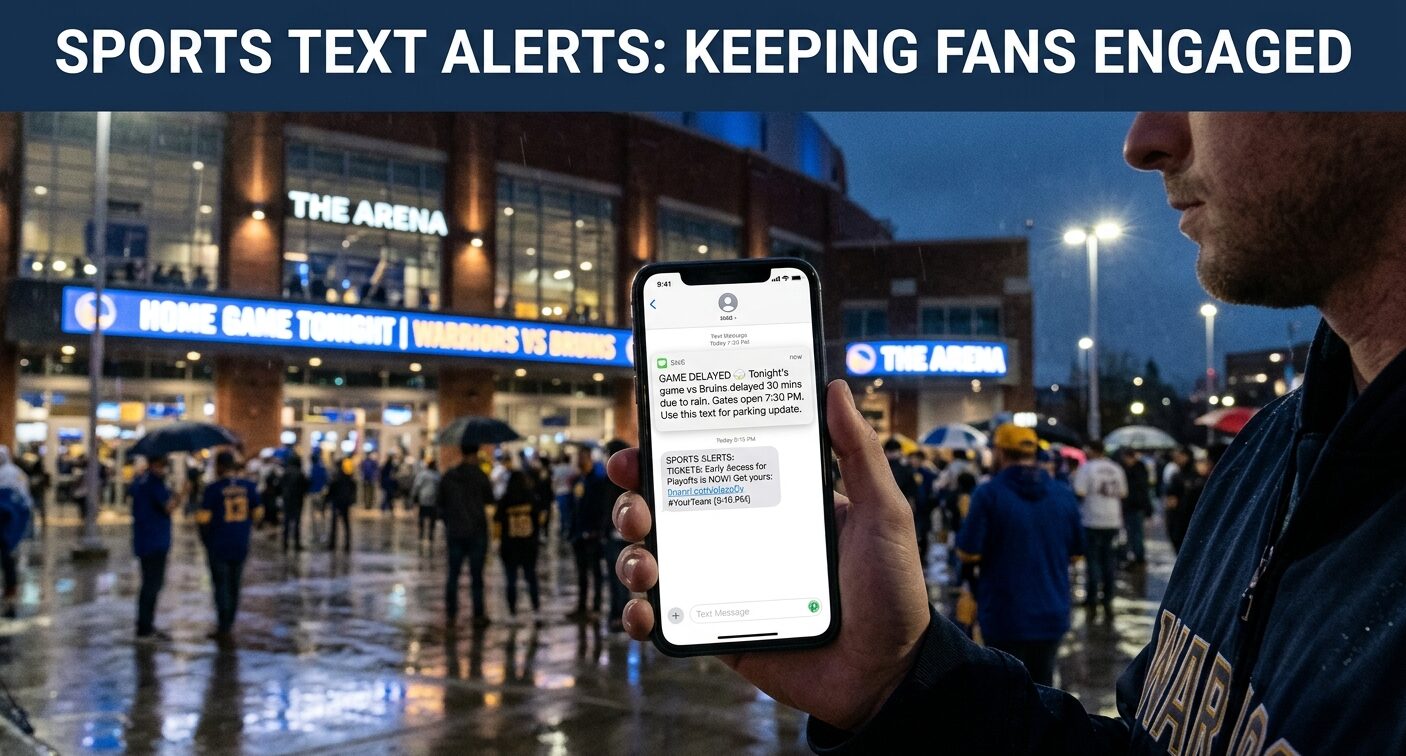
Your phone buzzes during dinner. It’s a short message: the game is delayed 30 minutes because of weather, and the gates open later than planned.
You didn’t have to open an app, check a feed or hope an algorithm decided to show you the news. It simply arrived, and it saved you a cold wait outside the arena.
That’s the appeal of text alerts, and it’s why sports teams and fan sites keep investing in them. Done well, SMS is the closest thing to tapping a fan on the shoulder. Done badly, it’s the fastest way to get blocked.
Here’s how it works, what actually gets used, and how to run a text program people are glad they joined.
Why text still works for sports?
Fans are scattered across more platforms than ever, and most of those platforms decide for themselves what gets seen. A post can vanish in a feed in minutes. An email can sit unread for days.
A text lands in the same place as messages from friends and family. There’s no algorithm in the way and nothing to download. For anything time-sensitive, like a delay, a lineup change or a ticket drop, that makes it hard to beat.
The flip side is that it’s personal space. Fans expect texts to be short, useful and rare. That expectation shapes everything below.
What teams actually send?
Most successful team programs lean on a small set of message types:
- Game-day logistics. Gate times, parking updates, weather delays and transit changes. These are the messages fans thank you for.
- Score and final alerts. Quick updates for fans who can’t watch live, usually opt-in and tied to a specific team.
- Lineup and injury news. A short heads-up that a star is out or a rookie is starting often does more than a long article.
- Presale and ticket access. Early access links are one of the strongest reasons a fan signs up in the first place.
- Polls, contests and giveaways. Simple “text your pick” prompts work in the arena and during broadcasts.
- Two-way conversations. Some teams invite fans to text a question and get a personal reply, which turns a broadcast channel into a relationship.
Notice that most of these answer a question the fan already has. The best text programs are useful first and promotional second.
What fan sites and creators can do with it?
You don’t need a stadium to run a text program. Independent fan sites and creators use SMS for a few reasons:
- Breaking news. Trades, injuries and signings are the kind of news fans want right away, and a text beats waiting for them to check the site.
- Game-day reminders. A “tipoff in an hour” nudge brings back people who might otherwise forget.
- A direct line to your best readers. If social reach drops tomorrow, a list of fans who gave you their number is yours.
- Community moments. Pick-your-MVP polls and trivia questions keep fans involved between big events.
It also helps to treat text as one part of a bigger setup. Email is better for longer reads and daily roundups, and social is better for discovery. Many fan sites start with email. Basketball Loop, for example, sends a free morning email with scores, storylines and film breakdowns. Text is a good add-on for the few things that can’t wait until morning.
The rules you can’t skip
Texting has legal guardrails, and ignoring them gets expensive. This section covers the US rules, since that’s where most fan programs start. If you text people elsewhere, check the local laws too.
Under the Telephone Consumer Protection Act, businesses generally need a person’s prior express written consent before sending marketing texts. The FCC’s TCPA guidance explains the basics. A clear opt-in, such as a checkbox on a form or a keyword text, counts. Buying a list does not.
Opting out has also gotten stricter. According to law firm BCLP’s summary of the FCC’s revocation rules, replying STOP to a marketing text must end further marketing messages, and everyday phrases like “unsubscribe,” “cancel” and “please opt me out” should be honored too.
The financial risk is real. Statutory damages under the TCPA can run to $500 per message, and more if a court finds the violation willful. That adds up fast on a list of thousands.
This isn’t legal advice, so have a lawyer review your setup. But the practical rules are simple: get clear permission, say what you’ll send, and make leaving easy.
Messages fans don’t mind, and ones they mute
Tone matters as much as timing. Here are two examples of the same news, written two ways.
- Good: “Tonight’s game is delayed 30 min due to weather. Gates now open at 7:30. Reply STOP to opt out.”
- Bad: “BIG NEWS!!! Don’t miss out! Huge game tonight, grab your tickets NOW before they’re gone!!!”
The first is specific, calm and useful. The second could be about anything and sounds like every spam text you already ignore.
A few habits keep messages on the right side of that line:
- Lead with the news. Put the useful part in the first few words.
- Say who you are. Start with your name or brand so nobody wonders where it came from.
- One message, one purpose. Don’t pack a score update, a promo and a poll into the same text.
- Keep it short. If it needs a paragraph, send an email and text a link.
How often is too often?
There’s no perfect number, but the principle is consistent: send more when fans have asked for more. Someone who signed up for live score alerts expects a stream during games. Someone who signed up for ticket news expects a handful a month.
A reasonable starting point is a few promotional texts per month and higher volume only for alerts people specifically chose. Tell people upfront what to expect, and then stick to it.
Setting up a simple program
If you’re starting from scratch, this order keeps things clean:
- Decide the purpose. Pick one or two clear jobs, like game-day alerts or breaking news. Don’t try to do everything at once.
- Build a clear opt-in. Use a form or a keyword that states what people will get and how often, and mentions how to stop.
- Send a welcome text. Confirm the sign-up, repeat the frequency and show how to opt out.
- Segment early. Let fans pick their team or topic so you aren’t blasting everyone with everything.
- Honor opt-outs immediately. Treat each one as feedback, not failure.
- Review monthly. Look at link clicks, replies and opt-outs, then cut what doesn’t work.
Mistakes that cost you subscribers
- Texting without clear permission. It creates legal risk and ill will at the same time.
- Sending the same message to everyone. A fan of one team doesn’t want news about another.
- Treating text like social media. Constant posting works on a feed. In someone’s messages, it feels intrusive.
- Ignoring replies. If fans respond and nobody answers, they stop trusting the channel.
- Making opt-out hard. People who can’t leave politely will leave angrily, by blocking you or reporting you.
Measuring what matters
Open rates are less useful for text, since almost everything gets read. Better signals include link clicks, replies and opt-out rate.
Opt-outs deserve special attention. A small number is normal. A spike right after a certain kind of message tells you exactly what your audience didn’t want. Read it as free feedback.
The takeaway
Text alerts work for sports because they match how fans behave. Big moments are urgent, and phones are always close.
The teams and sites doing it well treat the channel with respect. They ask permission, send things people actually want, and make it easy to walk away.
Do that, and a text isn’t an interruption. It’s the message a fan is glad to see right before tipoff.